3D printers
Start in 3D printing: 10 questions before you buy a printer
Don't buy a 3D printer until you know the answer to these 10 questions.
More and more people are discovering 3D printing and the infinite possibilities of integrating this technology into a business, even at the beginning of the journey.
We frequently receive questions from those who are curious and need advice to understand how the technology works, but especially how this technology can help them in a personalized way, for the object of business activity them.
Thus, in this GUIDE we answer the most frequently asked questions. This will help you in the process of documenting and understanding 3D printing technology.
Whether you are thinking of including 3D printing as an auxiliary technology in the main business object of the company, you want to expand your current range of services, the answers below will help you to be able to start a project that also targets this technology.
Let's get started! ^_^
1. What is the most used 3D printing technology and how does it work?
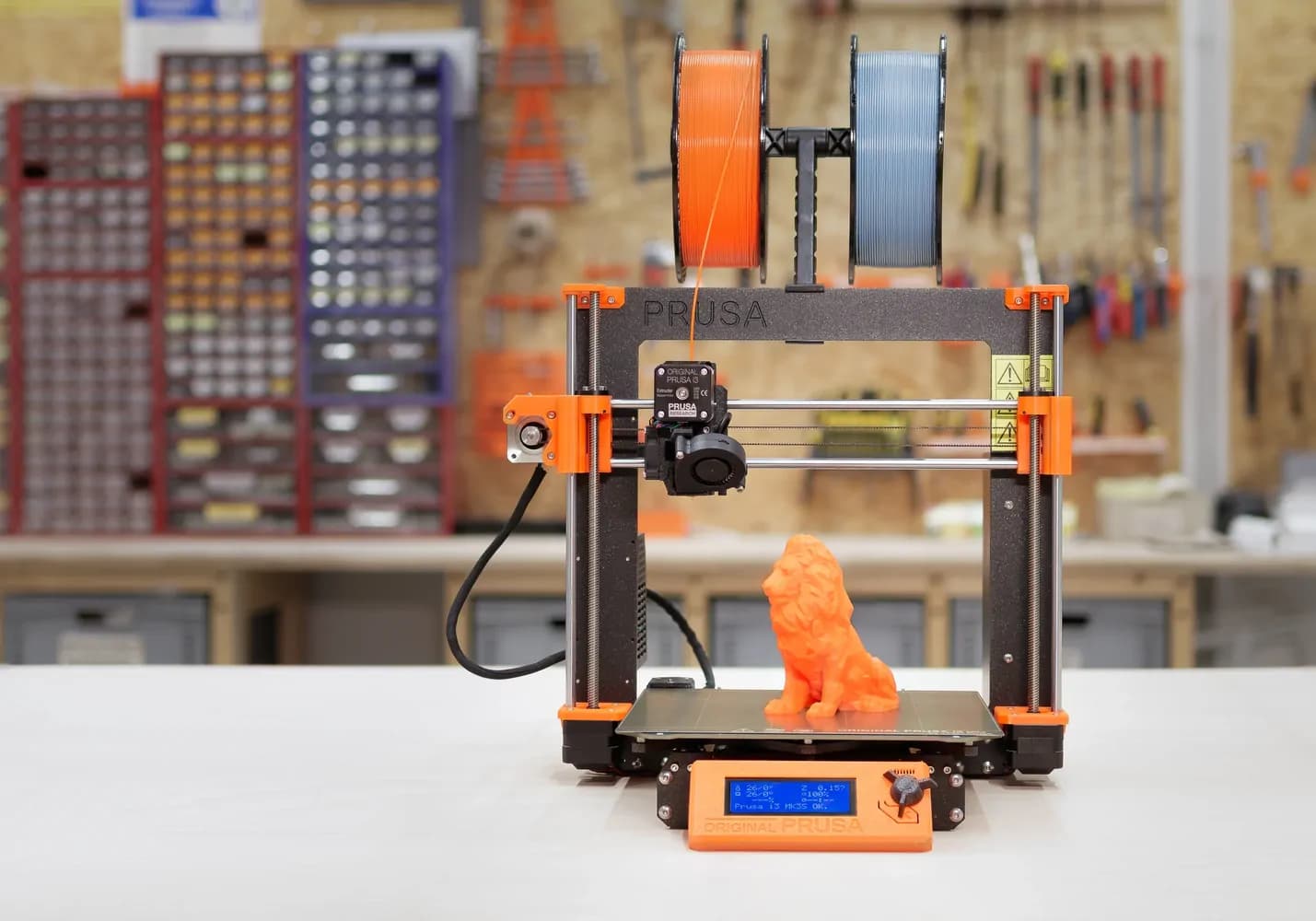
The most popular and used 3D printing technology at the moment is the FDM (fused deposition modeling) technology.
This technology is a continuous process in which the 3D printer prints with a thermoplastic material that is melted at a temperature recommended by the manufacturer.
Based on the loaded 3D model, the 3D printer melts the plastic and print the desired objects layer by layer.
2. How long does it take to print a part or a 3D model?
The printing time is estimated in the software program of the printer, where a series of parameters are set with the help of which the settings are made according to the final model you want.
The software program is a Slicer type. This means that it divides the object into layers to ensure that it can be printed with or without supports. Afterwards you set the printing material, the resolution you print with, the 3D printer you are printing on and the position of the object on the printer.
Finally, you will have an estimate on the printing time and the amount of material that will be used.
Software usedPrusa Slic3r
Object Dimensions100x51.68x80.02mm
Time Estimate6 h 5m 45 s
Time Estimate42.12 g
3. Where do I get the 3D models to be printed on the 3D printer?
Before starting the 3D printing process, it is important to download or create the 3D models you need.
The methods by which 3D models can be obtained:
- The desired part can be designed in a 3D design software. There are companies or freelancers that offer these services.
- With the help of a 3D scanner, an object can be scanned to be reproduced with a special software.
- Download 3D models for free from free platforms such as thingiverse.com, myminifactory.com, instructables.com, yeggi.com.
If you design the 3D model yourself, it is advisable to measure a part to reproduce as specifically as possible shape and dimensions by printing the designed part.
In the case of 3D scanning, depending on the type of scanner used, the scanned model will ultimately need more or less post-processing, that depends on how professional the scanner is used.
4. I have never used a printer before, will I manage?
It is important that when you decide to buy a 3D printer it is dedicated to your needs.
Thus, if you are at the beginning of the journey and you want an initiation into 3D printing technology, you will opt for a series of 3D printers with a small print volume. They are dedicated especially for the hobby.
They are more accessible and have integrated functions that simplify your work and are recommended because you can understand the process much better and you will quickly get used to this technology.
5. Does the 3D printer come with software or is it purchased separately?
The 3D printer comes with a Slicer software program that helps you prepare the 3D model before it is printed.
In the Slicer program, you make sure that the model is 3D printable and does not require modifications. If the object has parts that will be printed in the air, the decision will be made to include a series of supports to help those parts.
Also, apart from the analysis of the 3D model, you will choose from the settings the type of equipment you are working with, the material used in printing, the degree of filling, the final dimensions of the object, the resolution, in order to finally have estimates on the printing time and the amount of material required for printing the object.
6. What else do I need besides the 3D printer?
In addition to the 3D printer, a laptop is needed to install the Slicer software to start the printing process.
This software prepares the part to be printed, and if the parts are custom made you will also need a design program CAD software.
Top recommendations by industry in which you activate are Solidworks, Catia, Fusion 360, but there are also free design programs for beginners to start testing the main functions.
You also need consumables, depending on the type of parts you want to print. These consumable materials must comply with specifications for resistance to force, stiffness, density, coefficient of thermal expansion.
7. How can I print with multiple colors?
For multi-color printing, there are mainly two methods to print the desired objects.
With the help of a multi-material hub accessory, printing is simplified, as such a device can be attached to any type of 3D printer to print up to 4 colors simultaneously.
Basically, from one printer 3D with a single extruder you will be able to make objects with up to 4 different colors and materials, depending on the projects you want to make.
An example of such a complementary accessory is the Multi-material Palette 2 which you can seehere.
As the main advantage, the multi-material hub can be used together with any 3D printer.
Compared to the own module developed by Prusa through which the extruder prints with up to 5 colors by printing a distinct shape on the printing surface, the multi-material hub printing process is a more efficient one.
As alternatives, there are 3D printer models that offer compatible accessories for multi-material printing.
These are usually developed by the manufacturer of the 3D printer and are compatible with the models developed by the manufacturer, as they are adapted to the structure of the printer and its technical specifications.
An example of such an accessory is the Multi-material Upgrade Kit from Prusa that you can seehere.
8. If problems arise with the 3D printer, how can I solve them?
To ensure a simplified experience, when purchasing products on our website we offer a series of services that meet our customers.
These services aim at initial training in order to familiarize yourself with the main functions of the ordered product, and if you encounter technical difficulties, our colleagues from the technical department offer support by electronic means (telephone, video call, teamviewer) to fix technical difficulties.
If the problem cannot be solved together with a consultant, the product will be sent for service at our headquarters.
9. What type of materials can I use for the 3D printer?
The most common consumable materials for the 3D printer are:
- PLA;
- ABS;
- PET-G.
PLA filament is the most common consumable for 3D printers because it is easy to print, it does not require other special settings, most printers already have predefined settings for this material.
But it is a material that is not resistant to shocks. It is recommended for parts that will not be used as resistance parts, especially in the case of prototypes and custom decoration objects.
ABS filamentis a strong, environmentally toxic filament that is recommended to be printed on a closed-enclosure 3D printer.
As a result of using the filament in an enclosed environment, the adhesion of the material to the printing surface is increased. The filament is dedicated to printing objects used in various gears, with the mention that depending on the specifics of the developed project there are other filaments dedicated for industrial use.
PETG filamentis an alternative to ABS material, which is not toxic to the environment and can also be printed on an open enclosure printer.
In terms of resistance, it is a material comparable to ABS, which prints much better. easy.
10. What is the estimated cost of the materials?
In terms of material costs, they can start from 100 lei/kg and can reach several hundred lei depending on the type of material.
As a note, exotic filaments have higher costs and are sold at 500g or 750g compared to classic filaments that are sold at 1kg, 2kg or even 5 kg.
The costs of consumables are also given by the manufacturer brand of the filament, for which it is important to identify the compatibility with the 3D printer you are using. It's important to test or ask for an opinion on the brands of materials with which you can get the best quality results in the end.
Do you have other questions you want answered?
Get a Free Consultation with one of our colleagues by filling out the form below.
I want a free consultation
Calls: +40 738 435 679
WhatsApp: +40 725 489 118
E-mail:contact@irisrobotics.ro