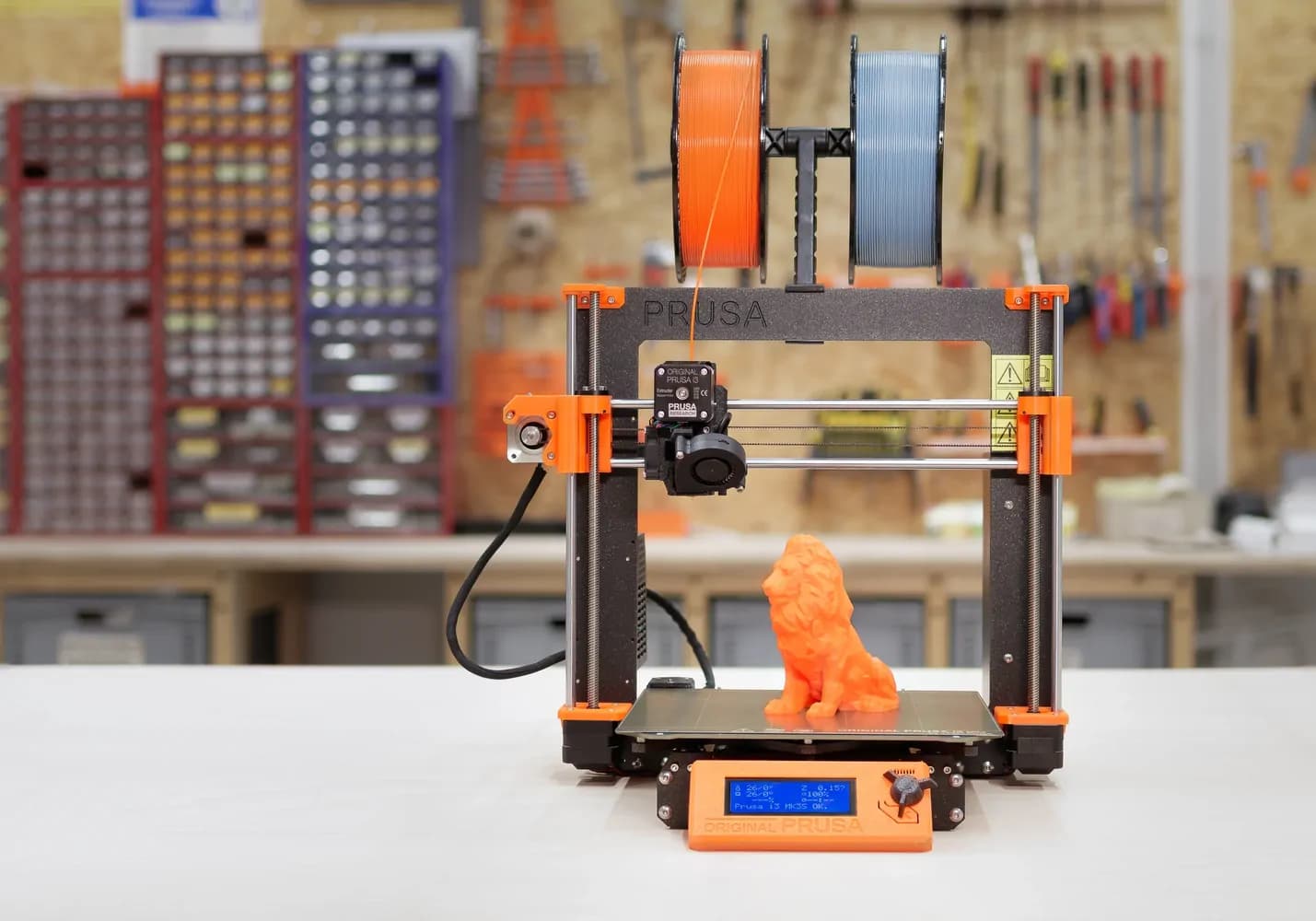
3D printers
Your complete guide to choosing a 3D printer
Article from 2020. The models, prices and technologies mentioned may be out of date; check the current models.
Table of Contents
Introduction
- What specifications should a 3D printer have?
- What are the dimensions of the objects you want to print?
- How many objects do you have to print?
- What types of consumables are there in 3D printing and which technology is right for your needs?
- Which 3D printers are right for your industry?
- Suitable 3D printers for production
- Right 3D printers for tech enthusiasts
- Right 3D printers for EDUCATION
- Right 3D printers for HORECA
- 3D printers suitable for DENTAL TECHNIQUE
- 3D printers suitable for DESIGN, SCULPTURE OR ARCHITECTURE
- 3D printers suitable for the AUTO domain
Don't have time to read now? Download the guide
Your complete guide to choosing a 3D printer that suits your needs
There are hundreds of 3D printer manufacturers and it can sometimes be difficult to find a printer that can give you the exact result at full capacity desired.
How do you know what's best for you?
How do you know what materials you need to create your desired objects?
How do you know how much money you should spend on a 3D printer? Or which model to choose, especially since there are many similar models that can do exactly the same thing.
In order not to spend hours on the Internet looking for various information in multiple sources, we have put everything in one place.
There are some very important aspects that I will touch on in this guide, which will guide you step by step to the best choice.
But let's introduce ourselves first
We are iris robotics, a company from Romania that deals with exactly these things. We distribute 3D printers, humanoid robots and custom software solutions. What's more, we also make software customizations for these products, according to the needs of each customer.
We could say that we have passed several hundred 3D printers through our hands, so we are sure that you will also find this guide useful.
If you have a business in one of the following areas and want to automate some processes, a 3D printer can help you do this at low cost and in an efficient way.
- Production
- Education
- HoReCa
- Dental Technology
- Design
- Sculpture
- Architecture
- Auto
Of course this does not mean that if you are simply passionate about technology you should not read on, on the contrary, you will see below what suits you too.
By the end of this guide, you will be able to easily answer the following questions.
- Which 3D printers are right for your industry?
- What are the dimensions of the objects you want to print?
- How many objects do you have to print?
- What exactly are you printing and where will it be used?
- How fine are the details of the objects you want to print? Let's get started! ^_^
First of all, before we move on to the business areas, it is important to know some criteria and specifications that will tell you whether a 3D printer is right for you or not.
How do you know? Find out below.
What are the dimensions of the objects you want to print?
- If your object is up to 25 x 21 x 21 cm, then you can confidently opt for a printer with a small print volume.
- If your object is up to 45x45x47cm, then you must choose a printer with a volume small or medium.
- If your object is about 61x61x61cm, generally these printers are for semi-industrial use, so you will need a printer with a high print volume.
Now that you know roughly how big you want the object to be, it is also important to think about how many pieces/objects you want to print per day or month. So let's move on.
How many objects do you have to print?
There are two situations here:
- 3D printers for hobbyists and beginners - meaning you need to print few parts, for personal projects, research projects, etc. The printer you choose can be of low or medium print volume.
As for the number of parts, with many models of 3D printers you can print daily, without the need for maintenance or technical interventions. This applies to assembled 3D printers that come ready configured.
More precisely, with a low or medium volume printer you can print from 1 to 50 parts per month. It all depends on how big the object is and how fine you want the details to be.
You can print 5 parts in an hour or you can print the same 5 parts, but in 3 hours if you want them to come out with fine and flawless details, at a maximum resolution.
- Professional and connoisseur 3D printers - you probably don't need a lot of parts, but the most important thing is the quality and resolution of the product. Professional 3D printers are not ready configured and assembled, that is why they require training for those who have never used them before or as a connoisseur you must know how to configure the technical settings yourself.
In this category you can find 3D printers with small, medium or large printing volume. Objects can be up to 61x61x61 cm. With most of the professional models, you can print several parts at once, for efficiency.
Being indicated for specialized fields, in production, medicine, dental technology, automotive, engineers and designers, these professional models are less accessible in terms of price, but they offer results with a very high resolution and precision, in a shorter time.
For both situations, the big differences can be given by the technology chosen for 3D printing. You will see further that there are several printing methods, but also multiple materials that can be used depending on the needs.
What exactly are you printing and where will it be used?
One of the most important steps in purchasing a 3D printer is the choice of 3D printing technology.
What types of consumables are there in 3D printing and which technology is suitable for your needs?
Note: there are four main printing technologies.
- FDM technology - printing by melting plastic materials.
- Resin technology - printing with liquid materials.
- SLS technology - printing with powder material.
- FOOD - printing with edible ink. I present each of them in detail.
1. FDM TECHNOLOGY (Fused Deposition Modeling) - the printing process is carried out by melting a solid consumable plastic material. The material is distributed in layers on the printing table, and the plastic filament is fed through a hot extruder that softens the material enough to be accurately placed on the printing plate.
Three most popular filaments suitable for FDM printers.
- PLA FILAMENT - the most common filament with a low hardness. It is very easy to use. For this type of consumable there are already predefined settings in the 3D printer and software.
- Enclosure: this type of material can be used in open enclosure printers as well as closed enclosure ones.
- Resistance: it is not very durable and is not recommended for use in creating objects that can be put under pressure or that are used repeatedly. But they are ideal for decoration or objects that are not subject to wear.
- Hardness: this material has a low hardness.
- Affordability: you can find filaments of 1 kg or 5 kg at very affordable prices.
- FILAMENT PETG - a filament with a medium hardness, for resistance parts. Parts that do not require specific conditions in the printing environment. There are predefined settings in printers for this type of filament.
- Enclosure: Can be used in closed enclosure printers as well as open enclosure ones. It is non-toxic.
- Strength: the parts are strong enough that you can create objects of wear or resistance.
- Hardness: this material has a medium hardness.
- Affordability: you can find 1 kg or 5 kg filaments at very affordable prices.
- ABS FILAMENT - a filament often found in the creation of mechanical parts or that must have high resistance. The printed object can be up to 100% filled with material and is heavier.
- Enclosure: It is recommended to use this material only in closed enclosure printers as it is a toxic and demanding material. It needs a constant temperature in the printing process, otherwise there is a risk that the objects will not print correctly. It is placed in a fixed place, and protected from heavy traffic, at the time of use.
- Strength: a material with a high resistance with which you can create parts that can be subject to wear.
- Hardness: this material has a medium hardness.
- Affordability: you can find filaments of 1 kg or 5 kg at very affordable prices.
The filaments shown above do not require settings technical, printers already have predefined settings for these materials in their software.
Below, I will present some materials that require specialization or training to be used:
- Flexible filament - if you need to create flexible objects you can choose NINJA FLEX, TPU materials. These materials do not have a very large range of colors and the price is quite high.
- Soluble Filament (PVA) - this material involves a printing process based on supports, which after the material is final, the object is put in water and the supporting supports dissolve.
- Wood filament: which imitates wood, the texture of wood.
- Metallic filament: which imitates metal.
Now we move on to liquid material printing technology.
- RESIN TECHNOLOGY - 3D printing is done with a laser and the material used is liquid. You will find this technology only in closed enclosure printers. They are a little more demanding, they require certain technical settings that are not predefined and in general this technology is indicated for connoisseurs or professionals.
- DLP (digital light projector) - printing is done with the help of a specially developed digital light projector screen. It is considered to be the cheapest variant of resin printing. It's great for personal projects where detail and precision aren't a priority.
- Enclosure: Only used with closed enclosure 3D printers.
- Strength: It has low to medium strength. It is used to create decorations or in individual projects for testing.
- Hardness: it has a low hardness.
- Affordability: printers with DLP technology do not have a very high price, not being a professional printer. It's more for the hobby.
- UDP - is a technology patented by UNIZ. And it's one of the fastest technologies. Prints 10x faster than other resin technologies. 3D printers are professional and used only in fields where a very high precision of the objects is needed, but also speed.
- Enclosure: only used with 3D printers with closed enclosure.
- Resistance: it has a very high resistance.
- Hardness: it has a high hardness, but with fine details.
- Accessibility: they are not accessible to hobbyists or companies small production. This technology is professional and requires expensive preparations and materials to be used.
- SLA (stereolithography) - printing takes place using a high power laser to fuse the liquid material together into a desired 3D shape. The details of the objects are rendered very well and it is used for delicate objects where precision matters.
- Enclosure: it is only used for 3D printers with a closed enclosure.
- Resistance: medium to high.
- Hardness: it has an average hardness.
- Affordability: they are relatively affordable, but also indicated for professionals and connoisseurs, who print a larger volume of objects.
The technology shown above can use several types of resin:
- Base resin: can be used in any type of resin technology and is the most common. It has a lower resistance, being a more sensitive material. It is used for parts that are not necessarily for resistance.
- Very rigid resin: it is used in the production of equipment that must have very high resistance. The objects can support a large pressing volume and are resistant to wear.
The two above are more common, they are used in most resin technologies.
There is also the special resin for dental technique. It is only used in laboratories and is not affordable.
The third type of technology is printing with a powder-based material.
1. SLS (selective laser sintering) - printing takes place using a high power laser to fuse the powdered material together into a desired 3D shape. The details of the objects are rendered very well and it is used for delicate objects where precision matters. It is ideal for both functional prototypes and small production runs, as it offers a high degree of design freedom, high precision and exceptional mechanical properties.
- Enclosure: only used in closed-enclosure 3D printers.
- Strength: it has quite good resistance, you can create art objects, jewelry, mechanical parts and just about anything you can think of.
- Hardness: it has a medium hardness to high.
- Affordability: 3D printers with this technology are less affordable in price, but it is worth it if you use it daily for personal projects or small, medium or large production runs.
How fine are the details of the objects you want to print?
There are visible differences between the technologies. You can see very fine details in some or highly textured materials in others.
Below are resolutions for resin technology.
Anycubic Photon DLP technology example - 25-100 micron resolution
SLA technology example Uniz Slash Plus - 20 micron resolution
UDP technology 10-300 micron resolution
Below are resolutions for FDM technology (with plastics)
Prusa: 0.05- 0.30mm
Anycubic 4MaxPRO 0.05- 0.30mm
German RepRap - 0.05
Resin technology: the user of these printers goes through a longer training process, because technical settings are needed that are not predefined. The 3D printer is much more demanding and requires rigorous cleaning beforehand. If you are among the professionals who want impeccable and precise results, this technology suits you.
FDM technology: these printers come with preset settings and small changes or maintenance is very easy to do. Compared to resin technology, the details are not perfect in FDM technology. However, to achieve delicate and fine objects, time can be given up and with a few technical settings, you can print a piece with much finer details, but in a longer time.
Don't have time to read now? Download the guide
Which 3D printers are right for your industry?
Now, we'll go through the most popular industries where 3D printing has already made its mark and more. I will explain what you need to choose for your field of activity, what works best and with outstanding results.
Suitable 3D printers IN PRODUCTION.
In the field of production you need a professional 3D printer. It helps you reduce production costs and streamline time so as not to interrupt production due to small or even large failures of the main equipment.
The 3D printer you choose must:
- Be able to print several parts at once, for efficiency;
- Have very good precision;
- Be able to create durable parts;
- Be able to print large objects small, medium and large;
One advantage in this industry is that you may need to replace an existing part that may have worn out. You have the physical part after which you can create a digital model, then the 3D printer will reproduce the used part in the smallest details and then replace it with the original one. You won't even feel the difference.
Or there is the option where you want to create an object from scratch, which you think can help you in the production process. You only need to design the digital model of the desired object and in a relatively short time you can have it physically to use it.
Why choose a 3D printer in production?
- Reduce production costs;
- It is a much cheaper alternative to the classic CNC variant (which carves a desired model from raw material);
- You can print several parts at once, at a low cost;
- You don't need to buy new parts that wear out quickly, you can recreate them with the help of the printer, at much lower costs;
- You can create complementary parts for a piece of equipment;
Below you can find some very effective 3d printer models for the field of Production:
3D printers suitable for tech enthusiasts
We don't have an industry here, but we have a real passion.
There are many 3D printers for hobbyists, curious, beginners who either want to start a small business in this field or want to use the 3D printer in their own projects.
You don't have to be a professional to be able to use such a printer. All you need to know is that the best choice for you is an assembled 3D printer.
Why assembled? Because this model of printers are very easy to use. The technical settings are already predefined, you only need to have the digital model and start printing.
You can create with it spare parts for your individual projects, decorative pieces, personalized gifts and whatever ideas come to mind.
The 3D printer you choose must:
- Be easy to use;
- Be able to print small or medium objects;
- Do not require too technical settings;
- Get it ready assembled so you can use it immediately;
- Work with accessible materials, because you do not need very expensive or delicate materials.
- Be for beginners, if you have never interacted directly with such a product before.
Below you will find some models that fulfill all of the above.
3D Printers Suitable for EDUCATION
Are you a school? A high school? A college? Or maybe even a teacher?
To introduce young engineers and students to the world of 3D printing, you need printers that are reliable and easy to use. They come with a full software package and can print for hours and without maintenance.
3D printers allow students to print and test their own work. In this way, they can learn by testing to correct small errors in their own projects and improve them.
The most important thing is that you should choose a model that allows you to easily explain to your pupils or students how a 3D printer works and how to use it.
The 3D printer you choose must:
- To have minimal technical specifications;
- Be easy to use for various demonstrations;
- Be able to print objects of small to medium volume;
- Work with a varied range of materials, which can later be compared and analyzed.
- Work with accessible materials.
Some project ideas in which you can involve the 3D printer in the field education:
- Interactive mock-ups, to explain how certain processes work, to facilitate learning;
- Research projects;
- Intensive courses;
- Projects after school;
- Projects for school otherwise;
- Prototypes;
- Cases for software projects (have a look pleasant).
It is important to mention, especially for educational institutions, that there is the possibility of purchasing through SEAP which provides transparency to the public procurement process and procedures.
In Romania, the company IRIS Robotics offers this benefit.
Recommendations:
FLASHFORGE Guider 3D Printer IIS
3D printers suitable for HORECA
Yes. Including in this area we meet 3D printing technology and there are special 3D printers.
Do you want to offer memorable experiences? Make your customers smile?
Have people walk through your door and tell all their friends about you? Or maybe receive multiple tags on Instagram with photos of customers excited about the new coffee they enjoyed?
You can offer your customers a unique experience, a different coffee. More precisely, with the 3D coffee printer you can print on the foam of a drink (coffee, cappuccino, beer) or on smaller cakes and tarts.
What can you print? Any shapes, hearts, teddy bears, a selfie, your business logo to serve coffee at a conference or an important event.
Finally, offer memorable experiences that I don't think many or maybe currently any of your competitors offer.
Which printer do you choose?
We have two recommendations, the differences are that model 1 connects to a laptop and model 2 connects on any device (laptop, tablet, phone).
Model 1 - COFFEE 3D printer
Model 2 - Cino Printer 3D COFFEE
3D printers suitable for DENTAL TECHNIQUE
In dental technology the 3D printer you choose must have a very high precision. The molds created must come out perfectly. So you need a professional 3D printer.
Dental 3D printers use a different printing technology. More precisely, it is a resin technology, a liquid material. There are materials created specifically for this field and they are the most indicated.
In addition to the very high precision you need in the final product, you must choose a product with a much faster technology, to print the objects quite quickly and save time.
The 3D printer you choose must:
- Work with resin technology (material liquid)
- To have a very high precision
- To have a new and fast technology
- To be able to print several objects in a short time
- To be a professional printer
- To be able to print small-medium objects.
Below you can find some models that meet all of the above:
3D printers suitable for design, sculpture or architecture
The same models of 3D printers can be used for all three of these fields. More precisely, you need a 3D printer that uses plastic material melting technology (abbreviated FDM).
There are many materials from the most fragile to hard or flexible materials. Here it depends on your needs.
You can create prototypes that help you complete your work much faster and at affordable prices. You no longer have to waste hours creating your project piece by piece. If the final result does not satisfy you, with a few technical settings you immediately solve the observed errors and you can reprint the object for a new analysis.
The 3D printer you choose must:
- Reproduce the details of the objects very well
- Be suitable for prototypes
- Work with filaments affordable
- To work with materials of various hardnesses and textures
- To be able to print small, medium or large volume objects.
Below you can find some models that fulfill all of the above:
3D printer FLASHFORGE Creator 3
Imprimanta 3D CREATBOT DE PLUS
3D printers suitable for the AUTO field
In the automotive field you need precision. Of a 3D printer that can print you an object that, in general, wears out very quickly. Such as buttons, housings, brackets, handles and much more.
An advantage in this industry is that you may need to replace an existing part that has worn out. You have the physical part after which you can create a digital model, then the 3D printer will reproduce the used part in the smallest details and then replace it with the original one. Nici nu vei simți diferența.
Imprimanta 3D pe care o alegi trebuie:
- It can print several parts at once, for efficiency,
- It has very good precision,
- It can create durable parts,
- It can print small, medium and large objects.